




Quick Answer: To change your garage door code, you must first erase the old code by holding the “Learn” button on your overhead motor until the LED light goes out (about 6 seconds). Then, press and release the “Learn” button, type your new 4-digit PIN on the outside keypad, and press the “Enter” button until the overhead motor lights flash or click.
Step 1: Preparation and Security Check
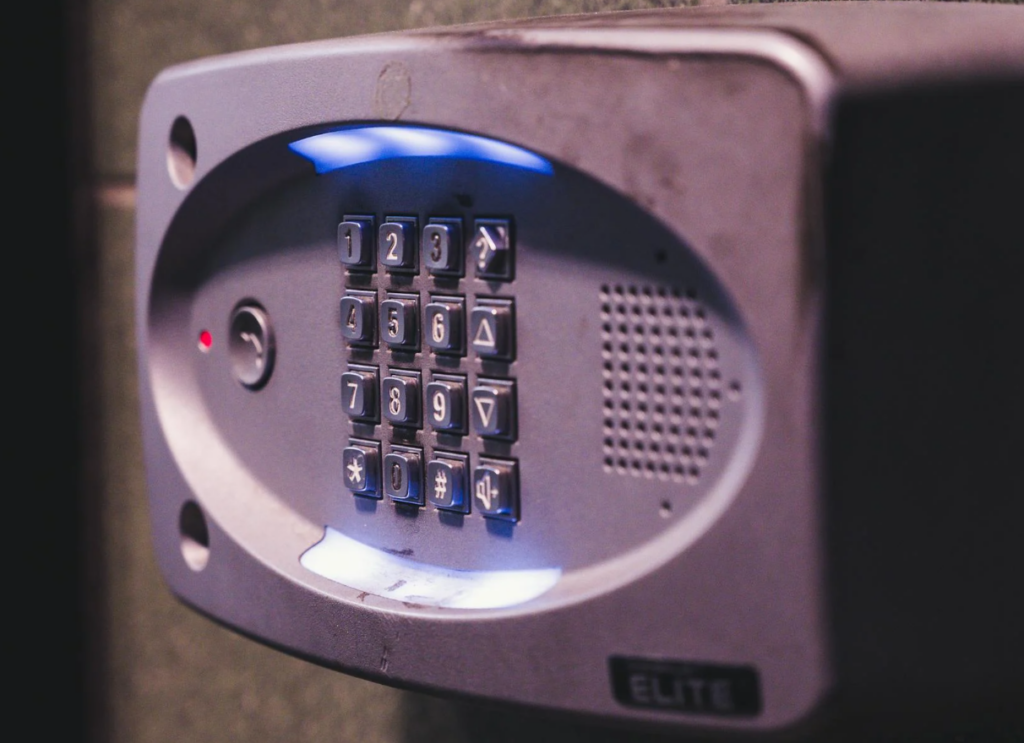
Changing the PIN on your exterior keypad is a critical security measure. You should routinely change your code if you have recently purchased a new home, experienced a security breach, or shared your PIN with dog walkers, babysitters, or contractors.
Essential Items:
- A sturdy stepladder.
- A new 9-volt battery (if your keypad is more than a year old, change the battery while you are doing this).
- Your new 4-digit PIN (choose something memorable but not obvious like “1234” or “0000”).
Important Warning: Changing the code on your keypad often requires wiping the memory of your overhead motor. This means all of your handheld remotes and vehicle HomeLink buttons will also be erased and will need to be reprogrammed after you set the new keypad code.
Step 2: Erase the Old Codes (Clearing the Memory)
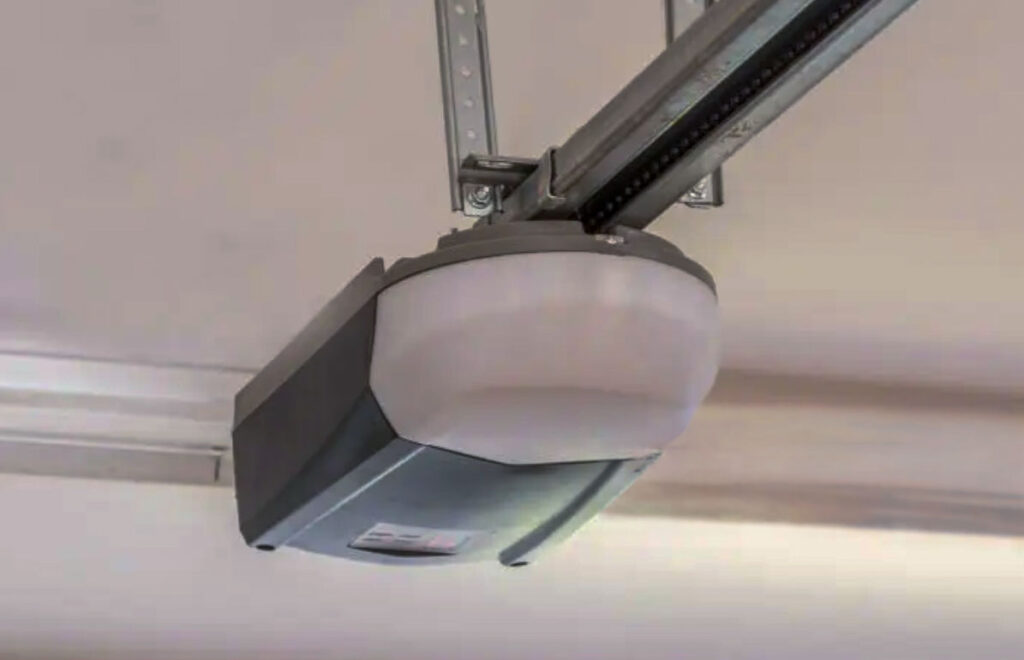
You cannot simply “overwrite” an old code on a standard system; you must clear the logic board’s memory first to ensure the old code no longer works.
- Access the Motor: Place your ladder securely under the overhead garage door motor.
- Locate the “Learn” Button: Find the colored “Learn” or “Program” button on the back or side panel (often under the light bulb cover).
- Wipe the Memory: Press and hold the “Learn” button. The LED indicator light will turn on. Keep holding the button for approximately 6 to 8 seconds until the LED light turns completely off.
- Verification: The memory is now wiped. Any old keypad codes or handheld remotes will no longer open the door.
Step 3: Program the New Keypad Code
Now that the motor has a blank slate, you can introduce your new security PIN.
- Press the “Learn” Button: Press and immediately release the “Learn” button on the overhead motor. The LED indicator light will glow steadily. You now have 30 seconds to complete the next steps.
- Enter the New PIN: Carefully climb down the ladder and go to your exterior keypad. Type in your new 4-digit PIN.
- Press Enter: Press and hold the “Enter” button on the keypad.
- Wait for the Flash: Keep holding “Enter” until the work lights on the overhead motor blink. If your motor doesn’t have lightbulbs, listen for two distinct clicks from the machine.
- Test the Code: Wait about 10 seconds for the system to reset, then type in your new PIN and press “Enter” to verify the door opens.
Step 4: Reprogram Your Handheld Remotes
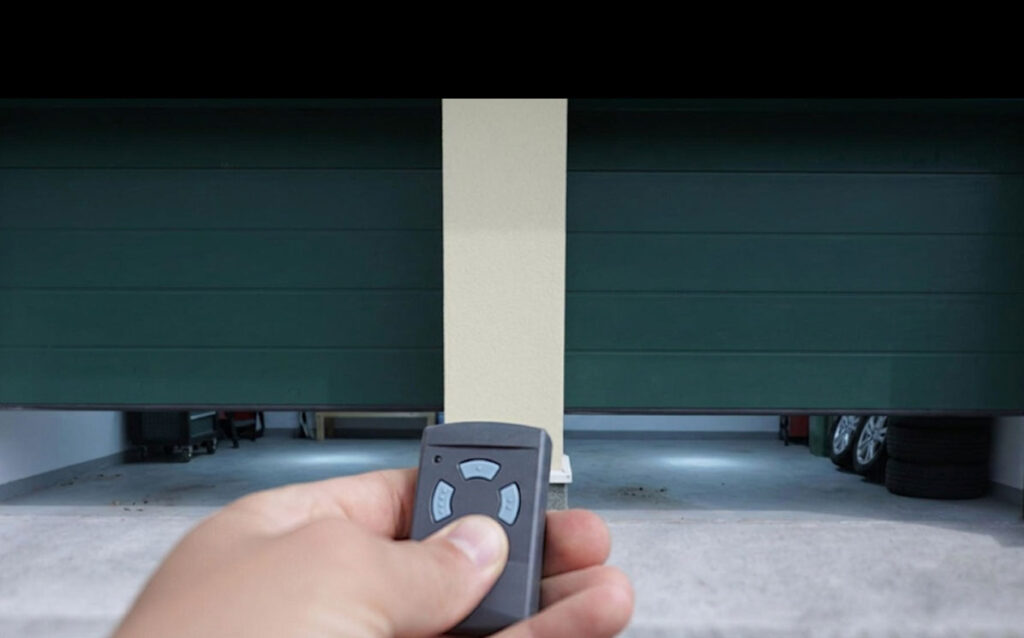
Since you cleared the memory in Step 2, you must now re-sync your handheld remotes and car buttons.
- Press and release the “Learn” button on the overhead motor.
- Press and hold the button on your handheld remote.
- Release when the overhead motor lights flash or click.
- Repeat this process for every remote or vehicle button you own.
Brand-Specific Variations
While the above steps work for 90% of modern openers (including LiftMaster, Chamberlain, and Craftsman), some brands operate slightly differently:
- Genie Intellicode Keypads: Genie keypads often do not require wiping the motor’s memory to change the PIN. You can press
[Current PIN] -> [Program] -> [New PIN] -> [Program]directly on the keypad. Consult your specific Genie model’s manual if this shortcut fails. - Keypads with a “0” Reset: On some newer Chamberlain models, you can press and hold the
*and#keys together until the keypad stops flashing, enter the new code, and press#. Then, sync it to the “Learn” button.
Troubleshooting: Why Isn’t the New Code Working?
If you typed the new code and the door won’t move, check these common issues:
- Dead Keypad Battery: The keypad runs on a 9V battery (usually located in a slide-out compartment at the bottom). Cold Illinois winters drain these quickly. Replace the battery and try the programming steps again.
- Frayed Wires: If your keypad is older, the internal ribbon cable connecting the buttons to the battery may be corroded or broken. The keypad will need to be replaced.
- Typing Too Slowly: You must enter the 4-digit PIN and press “Enter” within the 30-second window after pressing the “Learn” button on the motor.
Final Security Checklist
- Old memory successfully erased from the overhead motor.
- New 4-digit PIN programmed into the exterior keypad.
- Door tested successfully with the new PIN.
- All handheld remotes resynced to the motor.
- Car HomeLink buttons resynced to the motor.

Dmytro Shevchenko is the owner and lead technician at Prime Garage Door Repair, located at 25975 N Diamond Lake Rd, Unit 111, Mundelein, IL 60060. Known for his honest service and expert craftsmanship, he ensures every garage door operates safely and smoothly for families and companies across the Chicago suburbs.

estimate