




Quick Answer: To program a standard garage door remote, locate the “Learn” button on the back of your overhead motor unit. Press and immediately release the “Learn” button. Within 30 seconds, press and hold the button on your remote. When the overhead unit’s lights flash or the motor clicks twice, your remote is successfully programmed.
Step 1: Preparation and Safety
Before attempting to sync a new remote, setting up your environment ensures the process goes smoothly and safely.
Essential Items:
- Your new or existing garage door remote.
- A fresh battery installed in the remote (CR2032 or 3V coin cells are most common in 2026 models).
- A sturdy, secure stepladder.
- The brand name of your overhead motor (usually printed on the side of the unit).
Before You Start:
- Clear the area: Move your vehicles outside the garage. This prevents accidental damage if the door operates unexpectedly.
- Close the door: Ensure the garage door is in the fully closed position.
- Check the antenna: Make sure the small antenna wire hanging from the overhead motor is pointing straight down for maximum signal reception.
Step 2: Locate the “Learn” Button
Modern garage door openers (manufactured after 1993) use rolling-code technology, requiring you to sync the remote directly to the motor’s logic board using a “Learn” or “Program” button.
- Where to look: Climb your ladder and inspect the back panel of the overhead motor unit. You may need to unclip the plastic light cover to access the control panel.
- What it looks like: It is a small, colored, circular or square button. It is usually located directly above or next to the hanging antenna wire.
Step 3: The Programming Process
Follow these exact steps to sync your remote to the overhead opener.
Instructions for Standard Programming:
- Press the “Learn” Button: Press and immediately release the “Learn” button on the overhead motor. Do not hold it down. Holding the button for more than 6 seconds will erase all currently programmed remotes and keypads from the motor’s memory.
- Watch the LED: An indicator light next to the “Learn” button will glow steadily. You now have exactly 30 seconds to complete the next step.
- Press the Remote Button: Point your remote at the motor unit. Press and hold the specific button on the remote that you want to use to open the door.
- Wait for Confirmation: Keep holding the remote button until the overhead motor’s main work lights blink. If your unit doesn’t have light bulbs installed, listen for two distinct “clicks” from the motor relay.
- Test the Connection: Step down from the ladder, walk a few feet away, and press the remote button. The door should begin to open.
Brand Guide: “Learn” Button Colors and Compatibility
Different manufacturers use different colored “Learn” buttons to indicate the radio frequency of the motor. This is especially important if you are trying to program a LiftMaster, Chamberlain, or Craftsman remote.
| Brand | “Learn” Button Color | Typical Manufacture Year |
| Chamberlain / LiftMaster | Yellow | 2011 – Present (Security+ 2.0) |
| Chamberlain / LiftMaster | Purple | 2005 – 2014 (Security+ 315 MHz) |
| Chamberlain / LiftMaster | Red or Orange | 1997 – 2005 (Security+ 390 MHz) |
| Genie / Overhead Door | Black or Grey | Varies (Look for “Program/Set” button) |
| Linear | Grey or Tan | Varies |
Troubleshooting: Why Won’t My Remote Program?
If you followed the steps above and the remote still isn’t working, check these common 2026 issues:
- Dead Remote Battery: Even “new in box” remotes can sit on shelves for years. Swap the battery first.
- Memory is Full: Older logic boards can only hold 5 to 7 remotes. If the memory is full, you must clear it (by holding the Learn button for 6 seconds) and reprogram all your active remotes.
- LED Bulb Interference: Cheap LED light bulbs installed in the overhead motor can emit a frequency that blocks the remote’s signal. Remove the bulbs and try programming again.
- Lock Mode is Engaged: Check your indoor wall console. If the “Lock” or “Vacation” button has been pressed, the motor will ignore all remote signals.
Final Programming Checklist
- ✅ Vehicles moved outside the garage.
- ✅ Fresh battery verified in the remote.
- ✅ Located the correct “Learn” button on the motor.
- ✅ Pressed and released the Learn button (did not hold it).
- ✅ Received visual (light flash) or audio (click) confirmation.
- ✅ Successfully tested door operation.
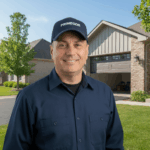
Dmytro Shevchenko is the owner and lead technician at Prime Garage Door Repair, located at 25975 N Diamond Lake Rd, Unit 111, Mundelein, IL 60060. Known for his honest service and expert craftsmanship, he ensures every garage door operates safely and smoothly for families and companies across the Chicago suburbs.

estimate